Community · August 13, 2026 · 12 min read
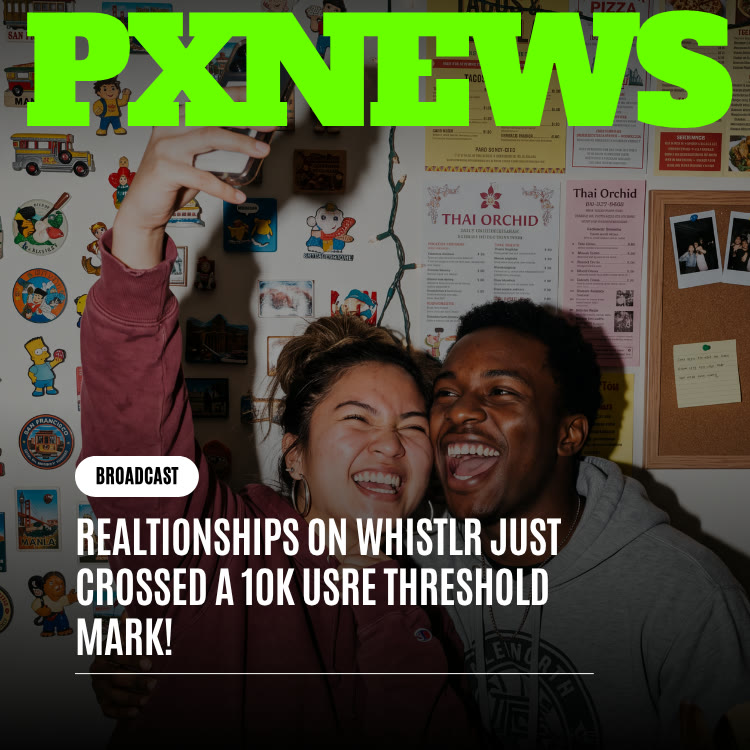
Relationships on Whistlr Just Crossed a 10K User Threshold Mark!
Whistlr's consent-first Relationship Status just passed 10,000 users. Here's what the milestone counts, how mutual confirmation works, and how to set yours up.
Relationships on Whistlr has passed 10,000 users. That number counts people who have used Relationship Status to make a connection official with another person, whether a partner, a spouse, a best friend, or a co-founder, and every one of those confirmations needed both people to agree. This article explains what the milestone represents, how the consent-first system works, how to set up your own status, and what it means for creators and businesses.
What the 10,000-User Milestone Actually Counts
Plenty of platform numbers are easy to inflate. A single tap, a default setting, or a well-placed prompt can push a metric up overnight. This one is different, because there is no one-tap path to it. Each confirmed relationship on Whistlr starts with a request from one person and only becomes real when a second person opens that request and chooses to accept it.
That makes the 10,000 figure less a measure of clicks and more a measure of trust. Every person inside it decided two things: that the connection was worth marking, and that Whistlr was a safe enough place to mark it. The people who accepted those requests made the same decision from the other side. Nobody in this count was tagged into a relationship without saying yes.
- Who is included: People who went all the way from request to acceptance and now hold a confirmed connection.
- What kinds of connections: Dating, engagements, marriages, long-term partnerships, close friendships, and business partnerships.
- How visible they are: Anything from fully public to private. The milestone counts confirmed relationships regardless of who can see them.
- What it is not: A data report about individuals. It is a community milestone, not a disclosure of anyone's personal details.
How Relationship Status Works on Whistlr
The feature was designed around a simple rule: a relationship involves two people, so it should never be published by one. Several design choices follow from that.
Requests Start Inside Your Existing Network
When you select a partner, you choose from among your followers. That single guardrail keeps strangers from sending relationship requests to people they do not know, and it means every request comes from someone already in your orbit.
Nothing Is Confirmed Until Both People Agree
Sending a request does not change anyone's profile. The other person sees it in Relationship Requests, where they can accept or decline. The sender can also cancel a pending request at any time. Only an accepted request becomes a confirmed relationship.
You Choose the Audience
Relationship Status supports several visibility levels: Public, Followers, Circle, and Private. You can share a relationship with everyone, keep it to the people who follow you, limit it to a close group, or keep it entirely for yourselves.
Personal and Professional Connections Both Count
The status list goes well beyond "In a relationship." It includes options such as Talking, Dating, Exclusive, Engaged, Married, Life partners, Long distance, and Best friends, as well as Business Partnership for professional ties. Business partnerships can carry extra detail, such as the partnership type, company, and role.
For a closer look at the original design decisions, see our earlier article on Whistlr's relationship status features.
Every number in this milestone stands for two people who both said yes.
How to Add a Relationship Status to Your Profile
If the milestone has you curious, setting up your own status takes a couple of minutes. Here is the process in the Whistlr app.
- Open Account Center: From your settings, go to Account Center and choose Relationship.
- Pick your status: Under Relationship status, select the option that fits, from Dating to Married to Best friends.
- Select your partner: Tap Select Partner and choose the person from your followers list.
- Send the request: Whistlr sends a relationship request to that person. Until they accept, nothing is confirmed.
- Wait for their answer: They will find your request in Relationship Requests, where they can accept or decline. You can cancel it from your outgoing requests if you change your mind.
- Add your date: Once confirmed, you can set a Together since date to mark when the relationship began.
- Share it if you want to: The Whistle about your partner option lets you post about your relationship, but it is entirely optional.
Adding a business partnership follows a similar flow in the Partnerships section, with room for professional details. And if a relationship or partnership ends, you can end it from the same settings screen.
Why Consent Is What Makes This Number Meaningful
Many people remember older social platforms where one person could list a relationship with someone else without asking first. Those systems produced big numbers, but the numbers were unreliable. Some entries were jokes, some were wishful, and plenty were stale statuses that nobody bothered to update. Worse, every unwanted tag chipped away at people's trust in the platform.
Whistlr took the opposite route. By requiring mutual confirmation, the feature accepts slower growth in exchange for numbers that mean something. Think about the chain of decisions behind each confirmed relationship:
- The sender felt confident: They were sure enough about the connection to make a request.
- The recipient felt safe: They trusted the platform enough to accept, knowing they could have declined or ignored it.
- Both trusted the controls: They counted on Whistlr to honor the visibility setting they chose.
- Nobody was pressured: There is no default or nudge that turns a pending request into a confirmed one.
Repeat that chain ten thousand times and you get a figure that reflects how people feel about using Whistlr, not just how many people opened the app.
The way the number grew says something too. Relationship Status spread largely by example. Someone would notice a friend's confirmed relationship, see that it appeared with care rather than drama, and ask how it worked. Early adopters tended to be people already comfortable being open about their relationships elsewhere, glad to have a more deliberate home for it. Once those relationships showed up for their own audiences, curiosity turned into trust, and trust turned into more requests. That kind of person-to-person growth is slower than a growth campaign, but it is far more durable, because each new user arrives already believing the feature works the way it says it does.
More Than Romance: Friendships and Business Partnerships
It is easy to assume relationship features are only for couples. On Whistlr, that is just one part of the picture. A meaningful share of confirmations come from people marking other kinds of bonds.
Best Friends
Some friendships deserve more than a follow. Best friends is a status in its own right, giving long-standing friendships a confirmed, mutual place on both profiles. It is a small way of saying publicly that someone matters, without any romantic framing.
Co-Founders and Business Partners
The Business Partnership status turns a claim in a bio into something both people stand behind. Partnership types range from Co-founders and Business Partners to options like Strategic Partners, Client Partnership, and Consultant & Client. Because both sides must confirm, a visitor can see that the partnership is acknowledged by each person, not asserted by one.
That breadth is part of why the milestone feels like a community achievement. It reflects couples, friends, and collaborators alike, all using the same consent-first system to mark connections on their own terms. Our piece on why friends feel more personal on Whistlr explores that wider idea.
What to Do if a Request Is Unwanted
The consent-first design means an unwanted request can never change your profile on its own. Still, it helps to know your options so a surprise request never feels stressful.
- Do nothing: A pending request has no effect. You are under no obligation to respond, and leaving it alone is a perfectly valid choice.
- Decline it: Open Relationship Requests and tap Decline. The request is closed and nothing appears on either profile.
- Review who can reach you: Since requests come from within your follow network, check who follows you and consider a private account if you want more control over that list.
- Block if needed: If someone keeps making you uncomfortable, blocking them removes their ability to interact with you. You can manage blocked accounts in your privacy settings.
- Read the policies: Impersonation and harassment are prohibited on Whistlr. If someone is pretending to be another person, or harassing you, those rules apply.
Whistlr is an adults-only platform, and the relationship tools were built with that audience in mind: people who can make their own decisions about what to share, and who deserve controls that respect those decisions. You can learn more about that commitment on our adults-only page.
The Privacy Choices Behind Every Confirmation
A milestone built on personal information only works if people feel in control of that information. Relationship Status gives you several layers of control.
- Audience selection: Choose Public, Followers, Circle, or Private for who can see the relationship.
- Request control: Accept, decline, or simply leave a request alone. Declining or ignoring is always a safe option.
- Cancel anytime: Senders can withdraw a pending request before it is answered.
- End when needed: Relationships and business partnerships can be ended from the settings screen.
- Optional posting: Sharing a whistle about your partner is a choice, not a requirement of confirming.
These controls sit alongside Whistlr's wider privacy settings, such as private accounts, who can tag or mention you, and blocked accounts. If you want to review all of them, our guide to taking control of your experience walks through each one.
What This Milestone Means for Creators and Businesses
Relationship Status is not only a personal feature. For creators and business owners, it can add credibility and context to a public profile.
- Show who is behind the brand: If you run a shop or a creative project with a partner, a confirmed Business Partnership tells customers and peers that both of you stand behind it.
- Make collaborations clear: Confirmed partnership types, such as Co-founders or Client Partnership, give context that a bio line alone cannot verify.
- Keep personal and professional separate: Personal relationships and business partnerships live in different sections, so you can share one without the other.
- Control visibility per relationship: A creator might keep a romantic relationship private while showing a business partnership publicly. The audience controls make that easy.
- Celebrate milestones authentically: Marking an anniversary or a company founding date with the Together since field gives your audience a genuine moment to share in.
Pairing a confirmed partnership with a strong profile helps visitors understand your story quickly. Our profile guide covers the other elements that make a creator or business page feel complete.
Relationship Status also works well alongside Whistlr's other personalization tools. A confirmed partnership, a well-chosen Top 8, and a recognizable avatar frame together tell visitors who you are and who you work with in a few seconds. If you have not set up a frame yet, our article on the Halo feature explains how. For businesses especially, that clarity can be the difference between a visitor scrolling past and a visitor deciding to follow, message, or buy. People are more comfortable supporting a brand when they can see the humans behind it and how those humans are connected.
Where Relationships on Whistlr Go From Here
Ten thousand is a milestone, not a ceiling. As more people confirm relationships, every new one will be held to the same standard: no relationship is confirmed unless both sides accept, audiences remain under each person's control, and no shortcut will be added just to make the number climb faster.
The blend of romantic, platonic, and professional ties in this milestone also hints at where future work could go. Possible directions the team has discussed include richer ways to mark long-running relationships, finer audience options between Circle and Public, and deeper support for professional partnerships. None of that is confirmed, and any change would follow the same consent-first principle that got the feature here.
Whatever comes next will be shaped by how people actually use the feature, the same way the current version was. If there is something you wish Relationship Status could do, the most useful thing you can do is keep using it thoughtfully and tell the team what is missing. Today, though, the moment belongs to the people who made it real: everyone who sent a request, and everyone who chose to accept one.
Frequently Asked Questions
What does the 10,000-user milestone for Relationships on Whistlr mean?
It means 10,000 users have used Relationship Status to reach a mutually confirmed connection. It includes romantic relationships, friendships, and business partnerships, and every one required both people to agree.
How does relationship status work on Whistlr?
You choose a status, select a partner from your followers, and send a request. The other person can accept or decline in Relationship Requests, and the relationship is only confirmed if they accept.
Can someone add me to a relationship without my permission?
No. A relationship request does nothing until you accept it. You can decline it or leave it unanswered, and requests can only come from people you already have a follow connection with.
Who can see my relationship status?
You choose. Relationship Status supports Public, Followers, Circle, and Private visibility, so you can share it widely, keep it to a small group, or keep it only for yourselves.
Can I list a business partner instead of a romantic partner?
Yes. Business Partnership is its own status with partnership types such as Co-founders, Business Partners, and Client Partnership, plus optional details like company and role. Both people must confirm it.
How do I end a relationship status on Whistlr?
Open Account Center, go to Relationship, and use the option to end the relationship or business partnership from the settings screen. You can also change your status at any time.
Crossing 10,000 users is a milestone assembled from thousands of shared decisions. It shows that people will happily share what matters to them when a platform asks first and respects the answer. If you have someone worth celebrating, open Account Center, choose Relationship, and send a request on your own terms.